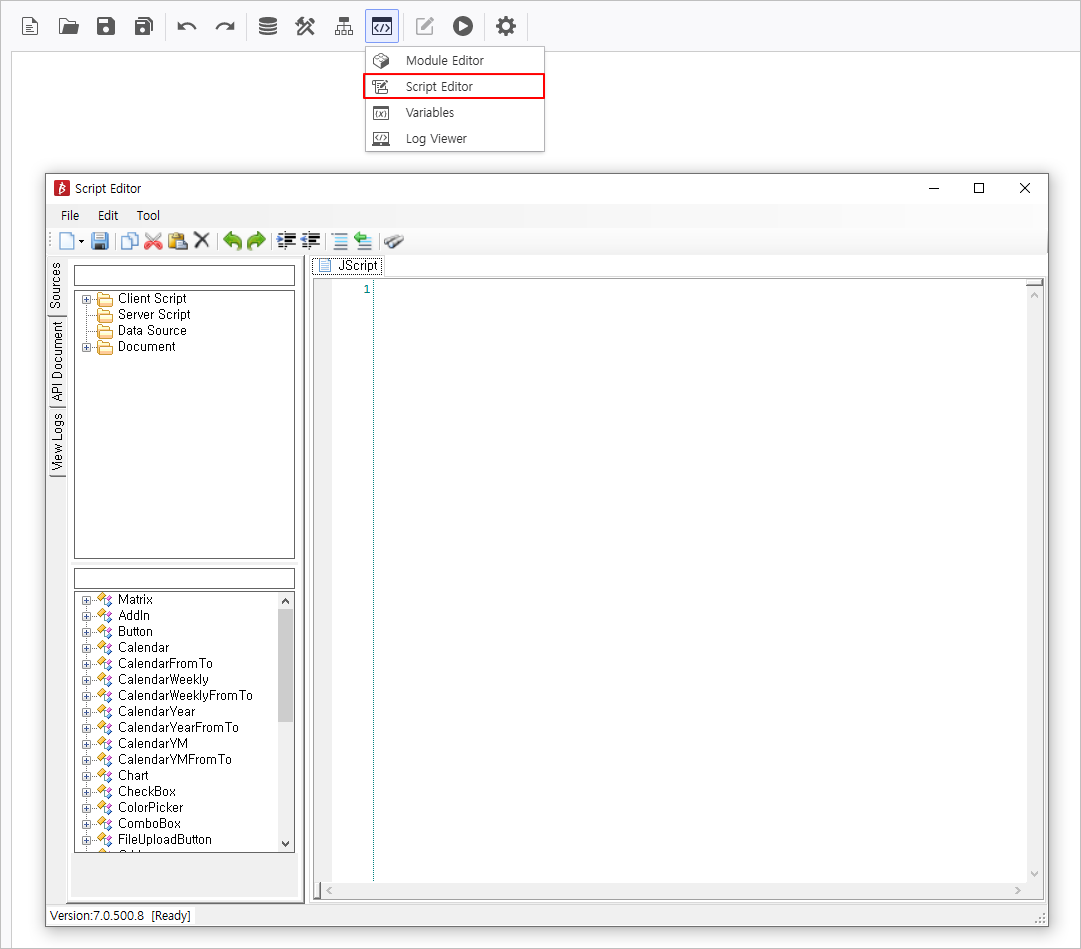
In the Script Editor, you can register DataSource and source code for use in your reports.
DataSource
By writing SQL statements or utilizing i-META to register a DataSource, you can retrieve data from the DB.
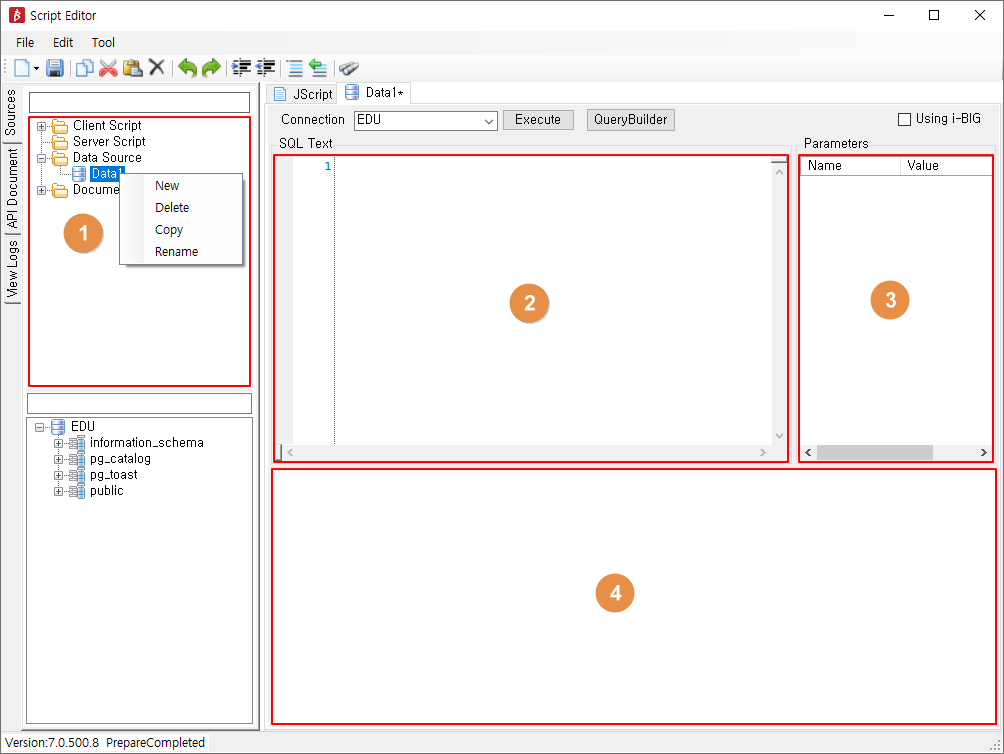
| No | Category | Description |
| ① | DataSource Creation Area | Right-click the Data Source folder, and click New to create a new DataSource. Right-clicking an existing DataSource allows you to create(New), delete(Delete), copy(Copy), or rename(Rename) DataSource. |
| ② | SQL Input Area | You can write SQL statements. |
| ③ | SQL Variable Area | You can configure the variables used in SQL query. |
| ④ | SQL Execution Result Window | Displays the results after executing the SQL Query. |
How to Register a DataSource
- Right-click the DataSource folder
- Select New
- Select DB Connection
- Write a SQL statement
- Click the Execute button or press the F5 key to verify the data retrieval
- Click the Save button to save
Client Script
You can write necessary features for reports in JavaScript.
JScript Editor window is automatically generated when the Script Editor is opened.
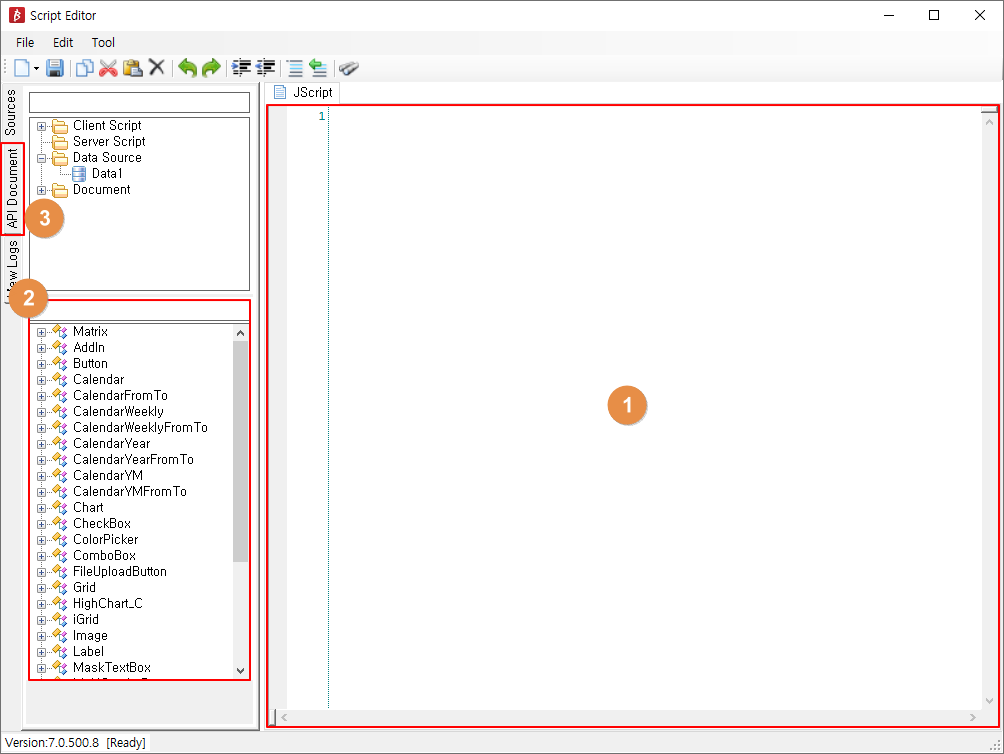
| No | Type | Description |
| ① | Source Code Input Area | You can write a source code necessary for a report's operation. With an API selected, pressing the 'F1' key will open the API Document window. |
| ② | API Function Creation | You can find the necessary API functions for each Control and automatically generate the corresponding function by double-clicking it. |
| ③ | API Document | You can search for necessary API functions. |
Server Script
You can write a report's functions to be executed on the server in JavaScript.
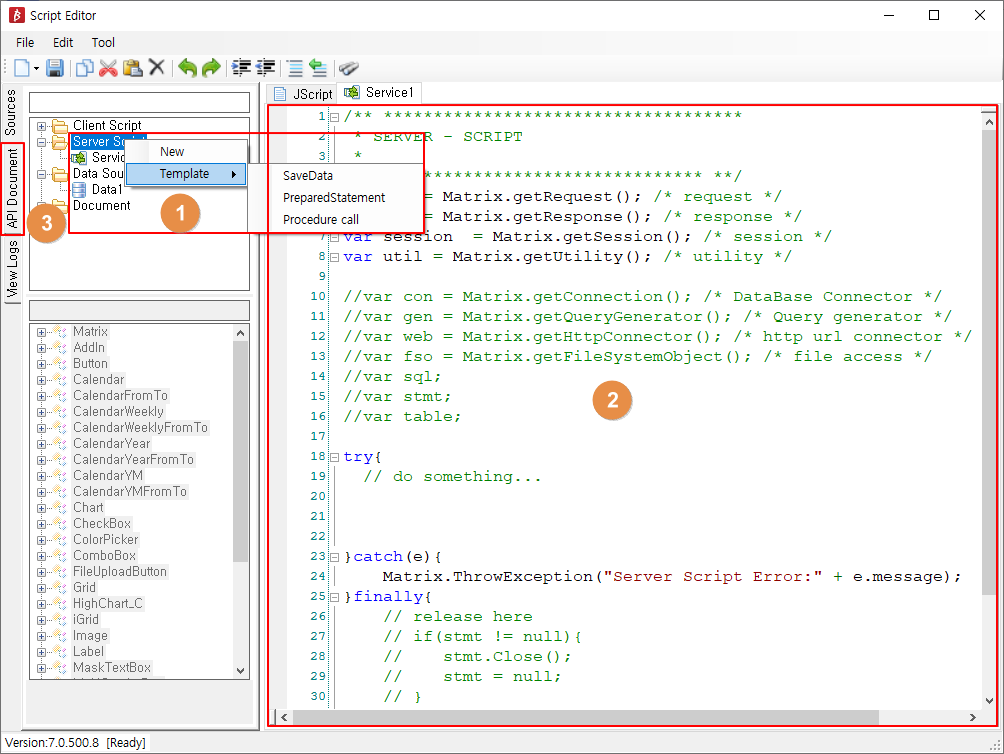
| No | Type | Description |
| ① | Server Script Creation Area | Right-click the Server Script folder and click New to create a new DataSource. Clicking Template allows you to use SeverScript templates for data storing and using procedures. Right-clicking an existing DataSource allows you to create(New), delete(Delete), create a Template(Template), or rename(Rename) the Server Script. |
| ② | Server Script Input Area | you can write a source code necessary for a report's operation. With an APPI selected, pressing the 'F1' key will open the API Document window. |
| ③ | API Document | You can search for necessary API functions. |
How to Register a Server Script
- Right-click the Server Script folder
- Select either New or Template
- Write code
- Click Save button to save