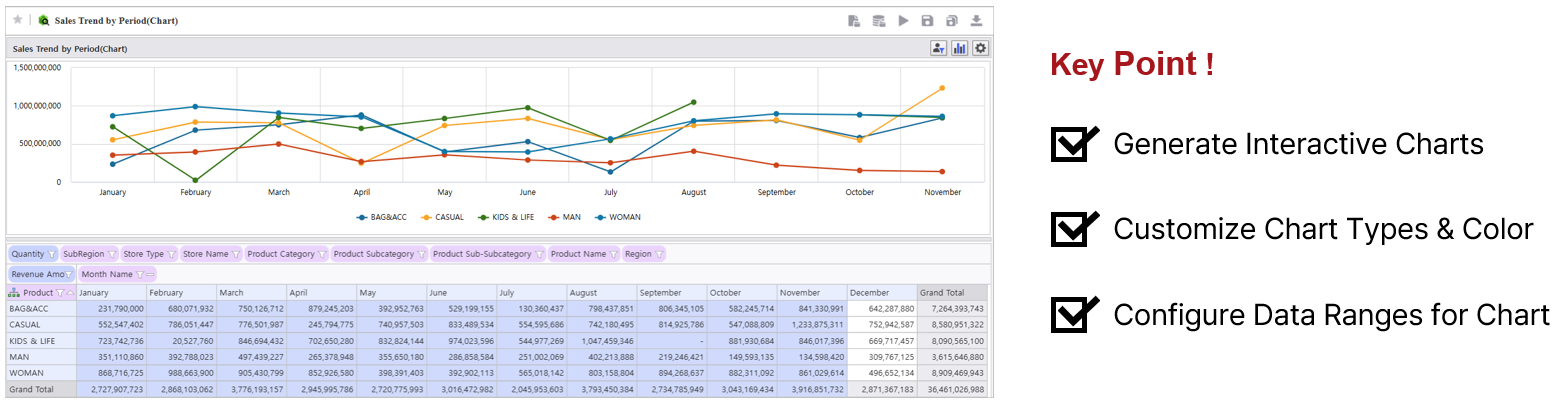
How to build a product sales trend analysis by period.
| Target Screen |
|---|
|
Step1. Basic Tutorial
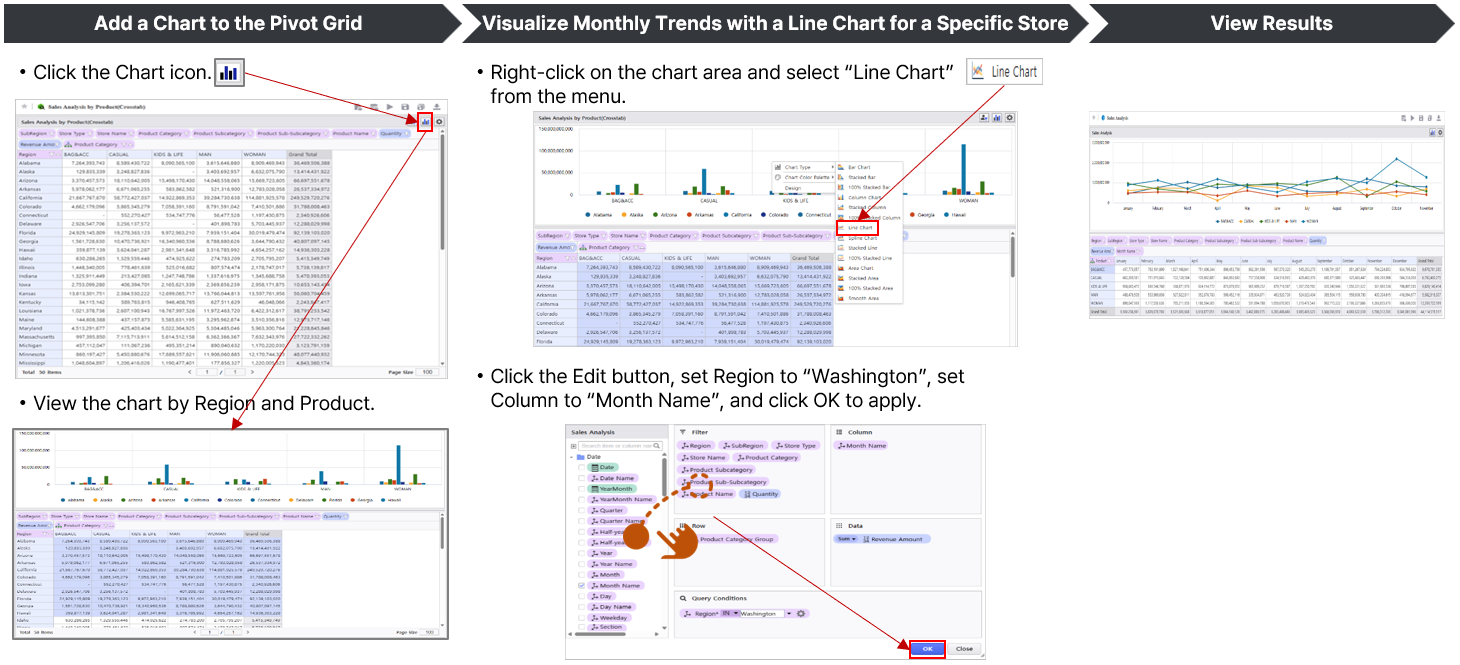
Visualize the Pivot view created in the previous session by converting it into a Chart for a deeper insight.
We will build a query view that incorporates Product Information (Product Category, Subcategory, Sub-Subcategory, Product Name) and utilizes Quantity and Revenue measures for time-series analysis.
|
|
Step2. Advanced Tutorial
Customize various chart properties to enhance the visual impact and clarify of your data.
| Advanced Features | Video |
|---|---|
|
|