...
Target Screen | |||||
|---|---|---|---|---|---|
| |||||
|
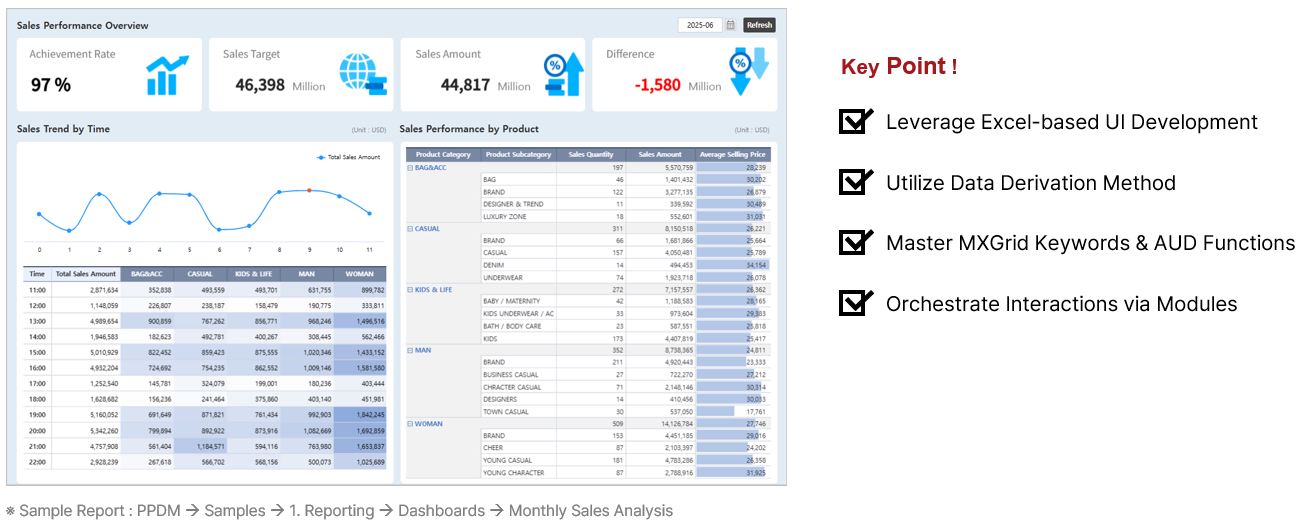


...
- Establish hourly sales trends in V2, and aggregate data using
SUMIFSfunction and get time-dimension using Data Derivation Method. - Navigate tot he T3 data sheet and parse the time items using a function to enable SUMIF aggregation.
Time Derived Function =IF(C2="After 22:00", "22:00", LEFT(C2,2)&" hour:00")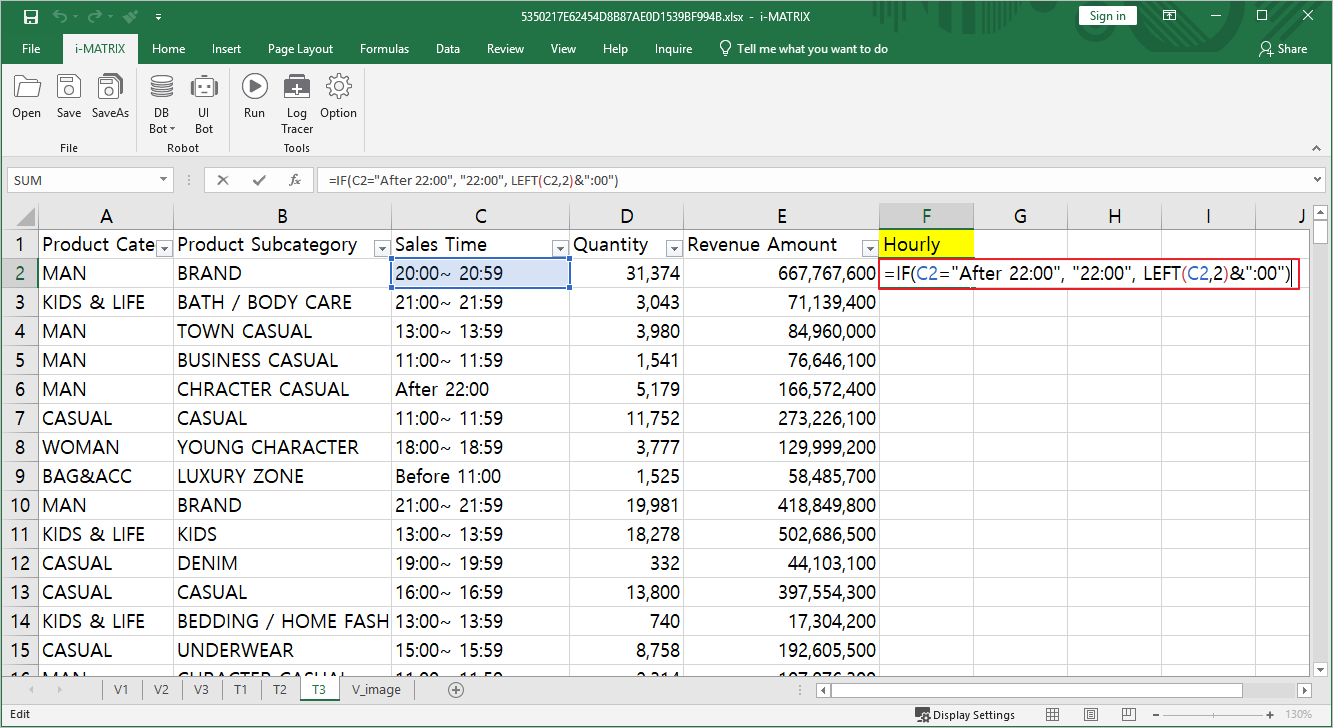
- Connect to the T3 data sheet using SUMIFS int he V2 sheet.
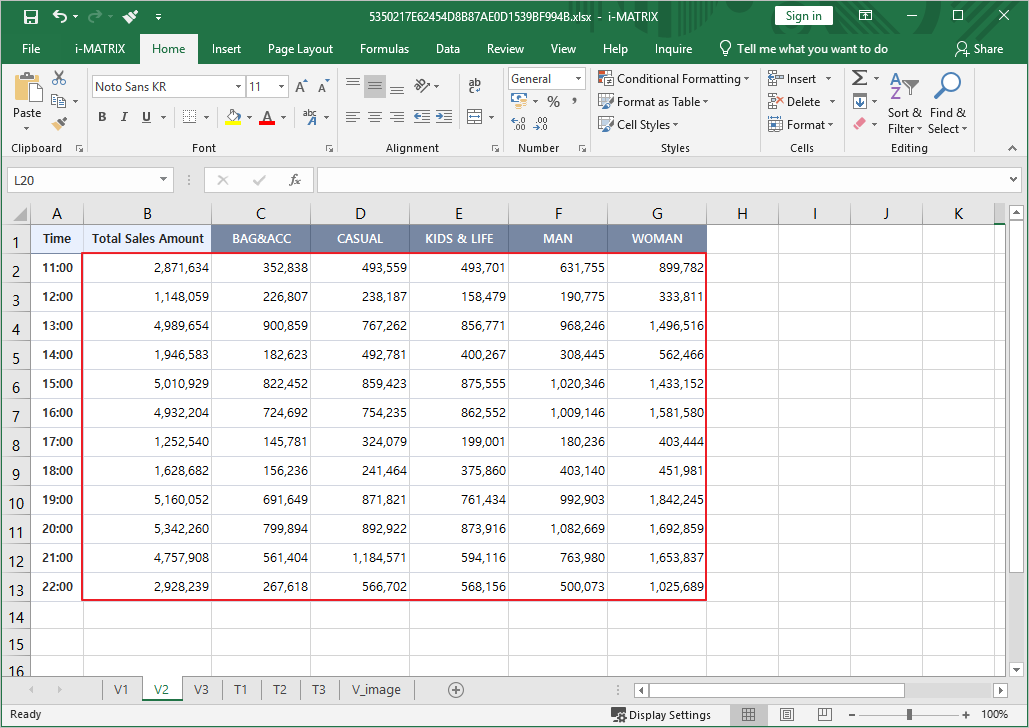
- Assign the _D_ reserved keyword to generate the hourly sales visualization chart. _D_예약어 ☜ Refer to the detailed guide
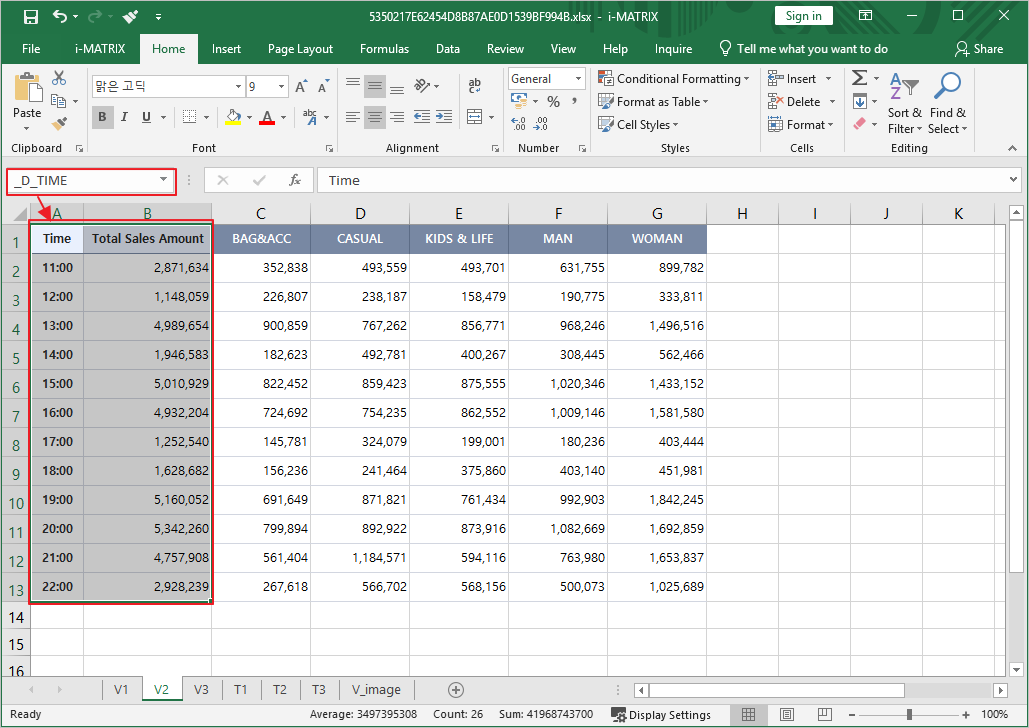
- Apply Conditional Formatting to the product-specific sales information to add visual depth, ensuring higher vales are displayed in darker colors.
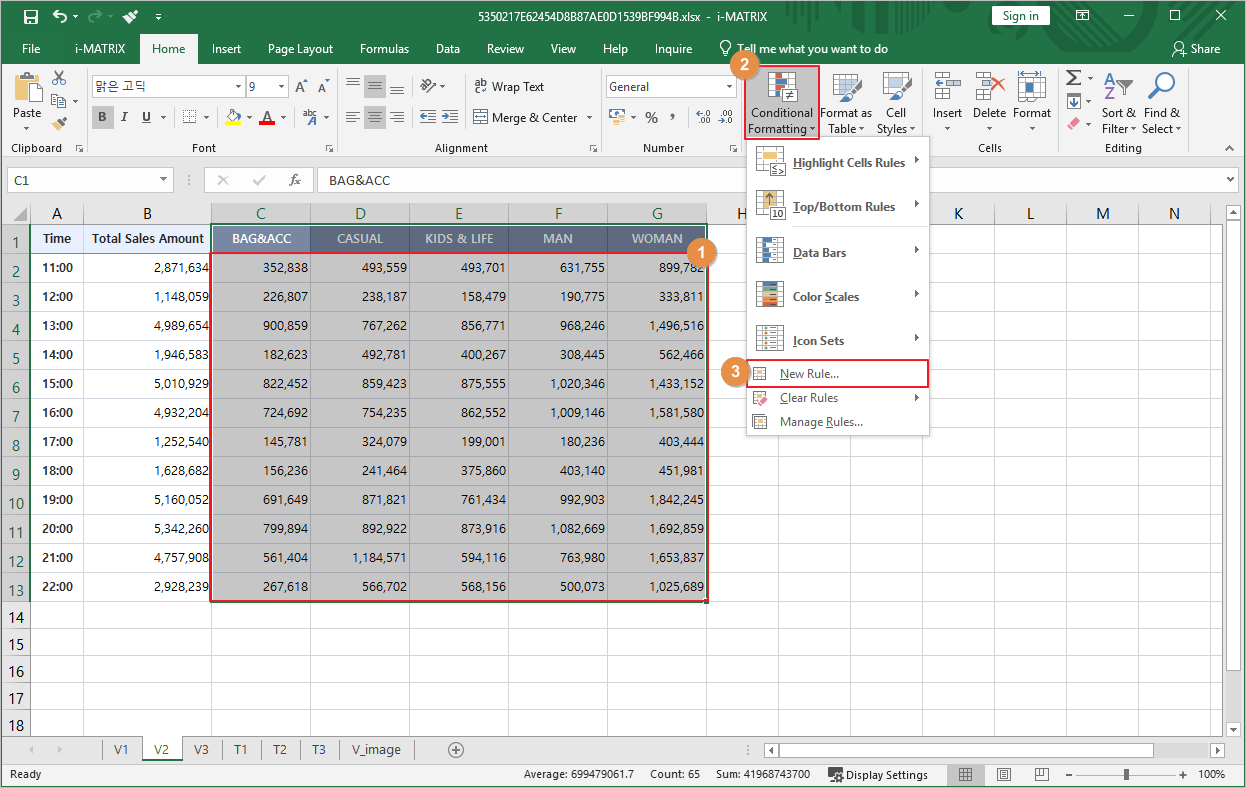
- Format all cells based on their values > 2-Color Scale > Select colors and click OK.
...