...
Download the sample Excel file from the Learning Experience Samples.

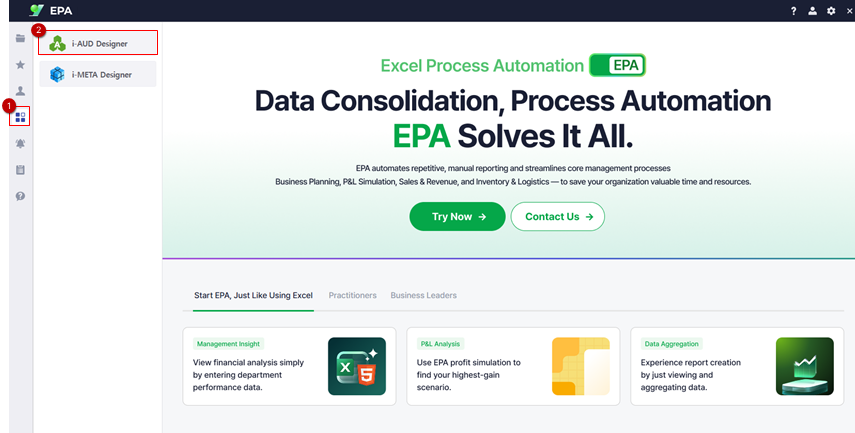
From the EPA main screen, go to [Menu] > [Tools] and launch i-AUD Designer.
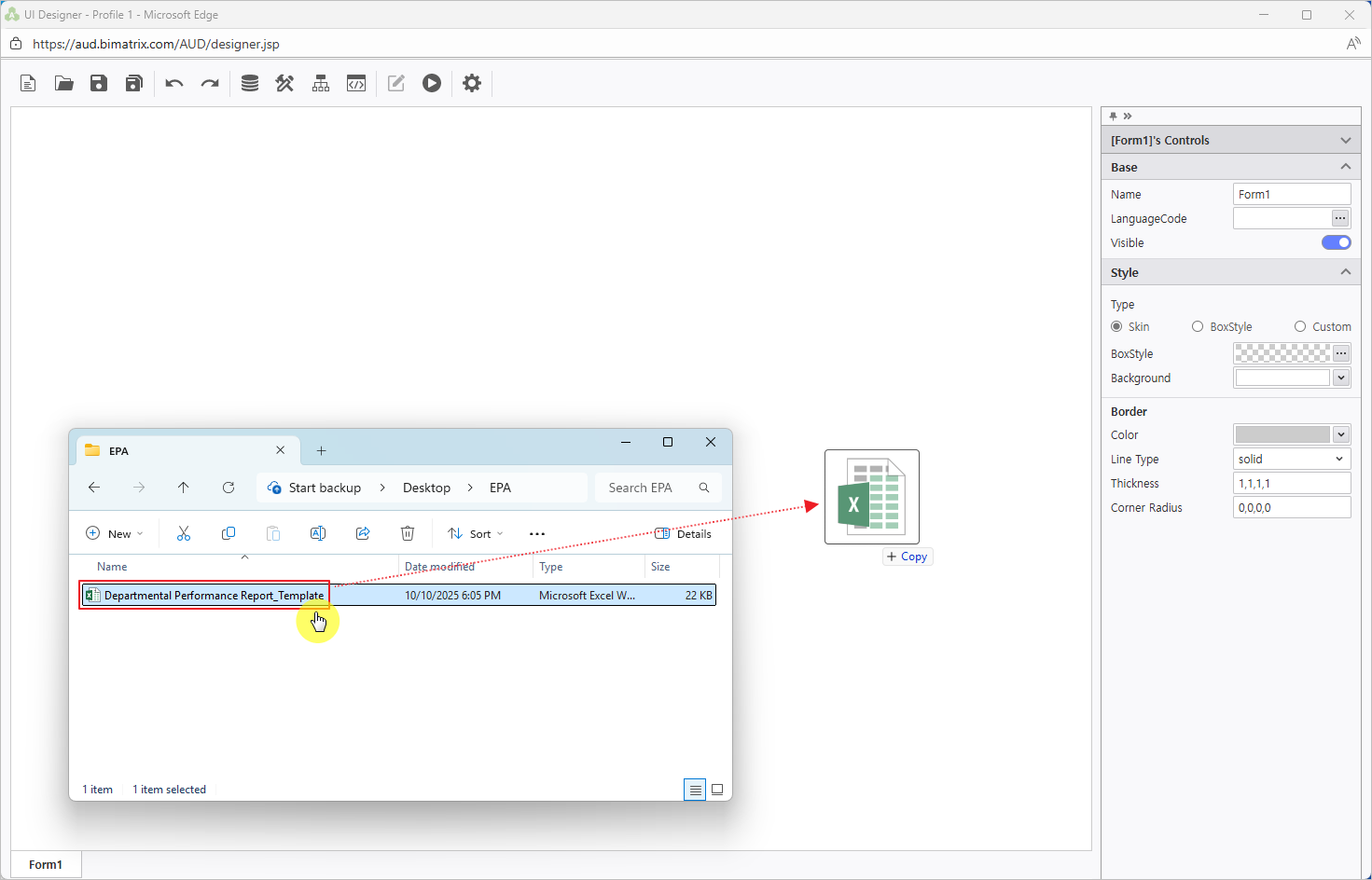
Drag and drop the saved Excel file into the i-AUD Designer window.
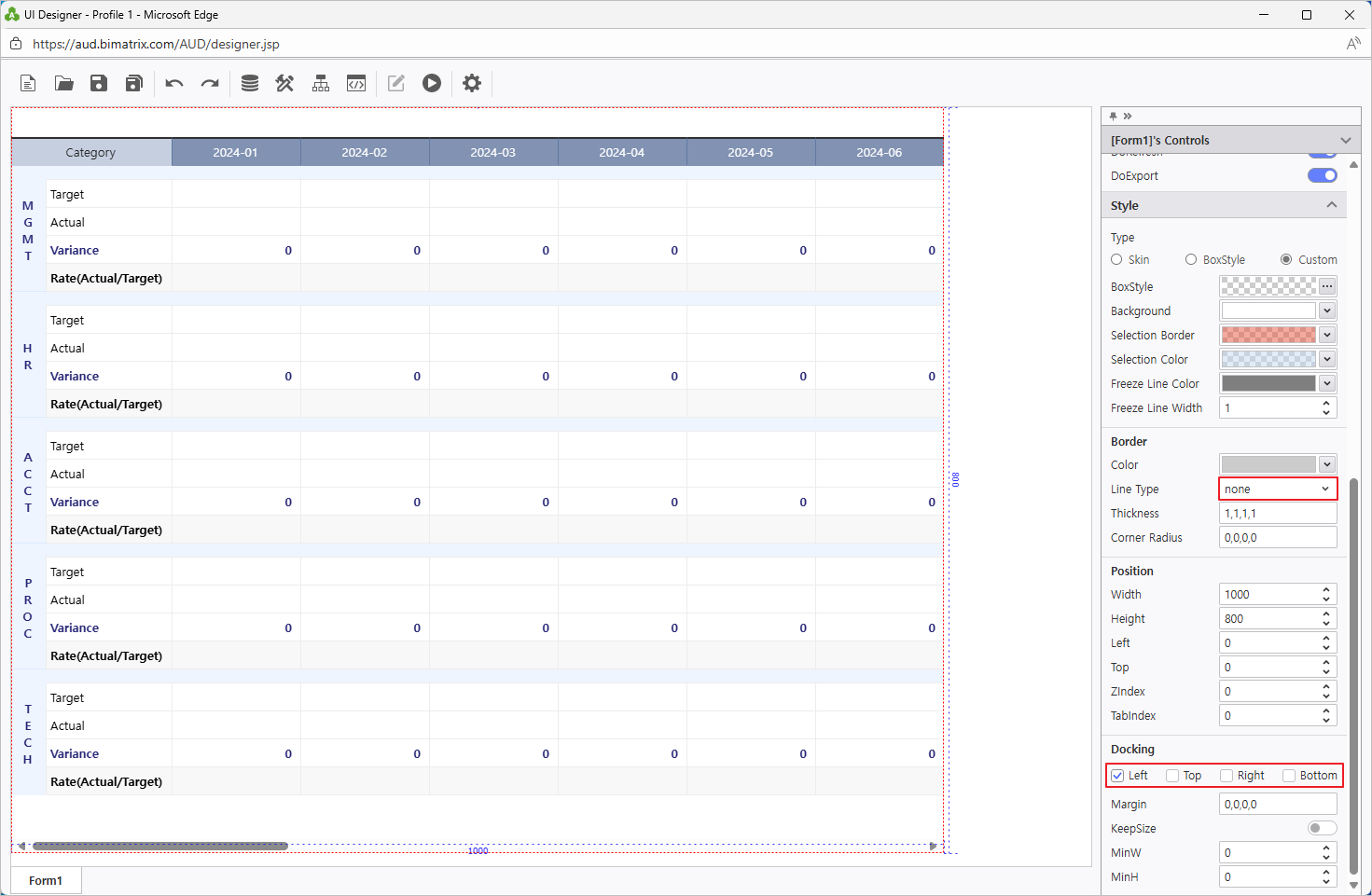
Ensure the report automatically resizes to fit the web browser window.
In the Properties pane on the right, check Docking: Left.
To remove the border from the report on the designer screen, set the Line Type property under Border to ‘None’.
...